The last update before the big launch check. Everything is in v1.20261024.1. Anything experimental is fully built but not tested in the game yet: switch it on under Settings › Experimental and tell us what breaks.
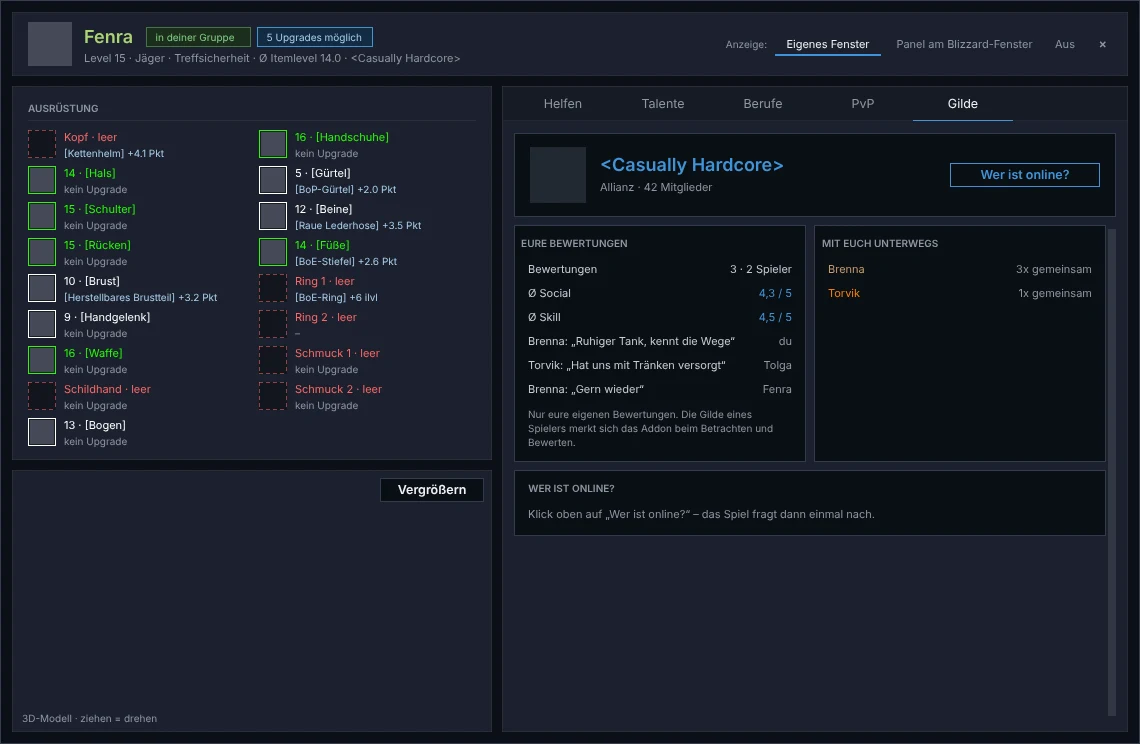
Inspect: Guild tab (experimental)
The own inspect window has a fifth tab. At the top you see the guild's name, faction and member count, below it only what your group knows itself: your ratings of players from this guild and who from the guild you have been out with ("3x together").
"Who is online?" asks the game exactly once on your click and lists up to 50 guild members with level and zone. After that the button rests for 30 seconds, and it never works in combat. The addon remembers a player's guild only on your side; it is not shared and not exported.
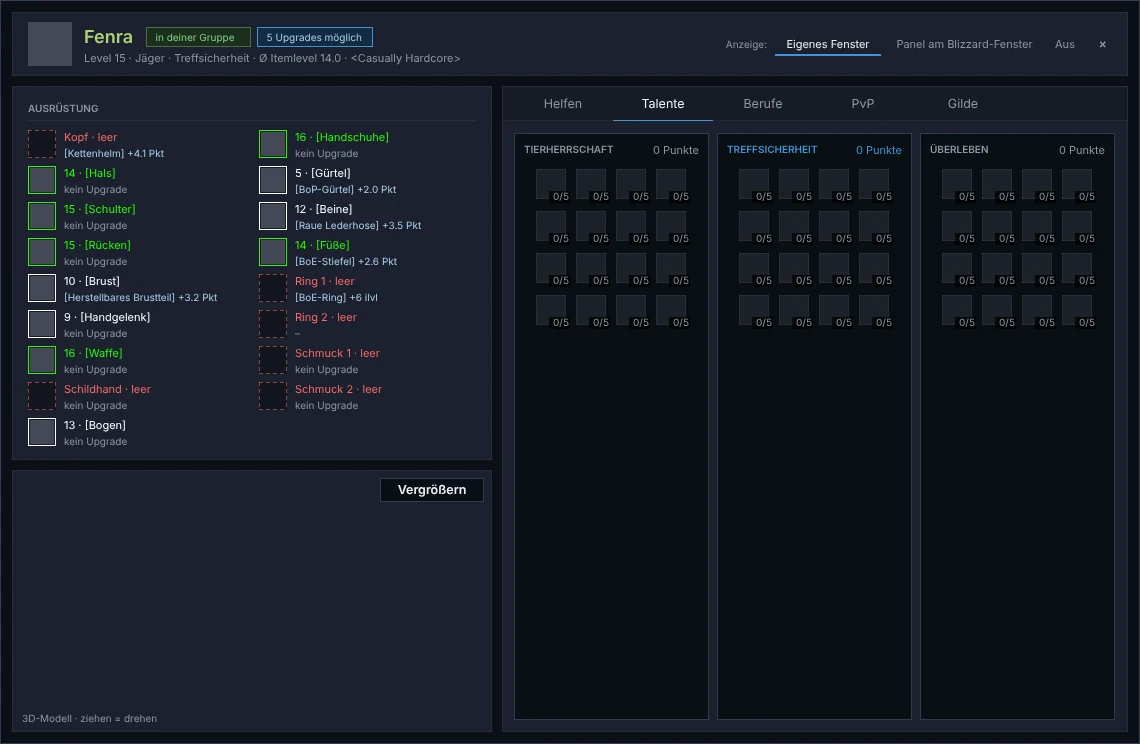
Inspect: hunter talents
For some players, first seen with a hunter, the talent tree and points did not come through. That is fixed. A tree without spent points now shows all talents pale instead of nothing. `/ch diag` also tells you what the last inspect found, or why nothing came.
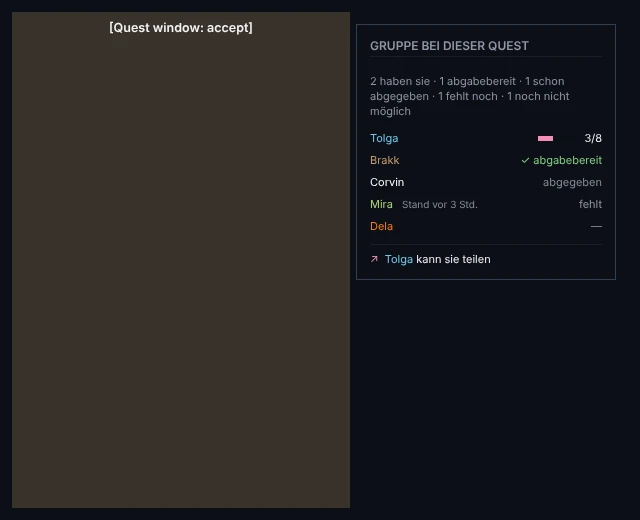
Quests: the group at the quest window (experimental, off by default)
When you accept or hand in a quest, a small panel next to the quest window shows how your group stands on exactly this quest: who has it and how far they are, who can hand it in, who already did and who still lacks it. While accepting, it also says who could share it. That is only a hint; nothing is shared by itself.
Switch it on under Settings › Quests › "Group state in the quest window".
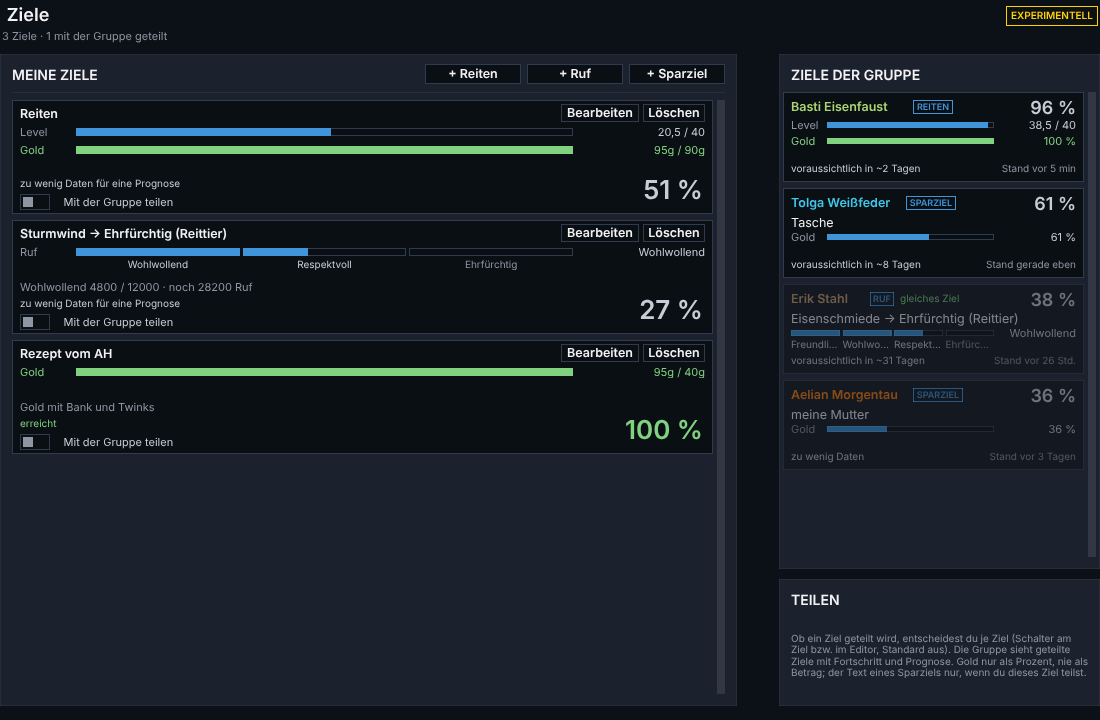
Goals of the group, more detailed (experimental)
The cards under "Goals of the group" now look like your own goals, just more compact: the kind of goal as a small tag, the percent in big, for riding one bar each for level and gold, for reputation the blocks per standing. The foot line shows the forecast and how old the data is. Members who are online come first. Gold still only shows as a percent, never as an amount.
Travel: hint at the flight map
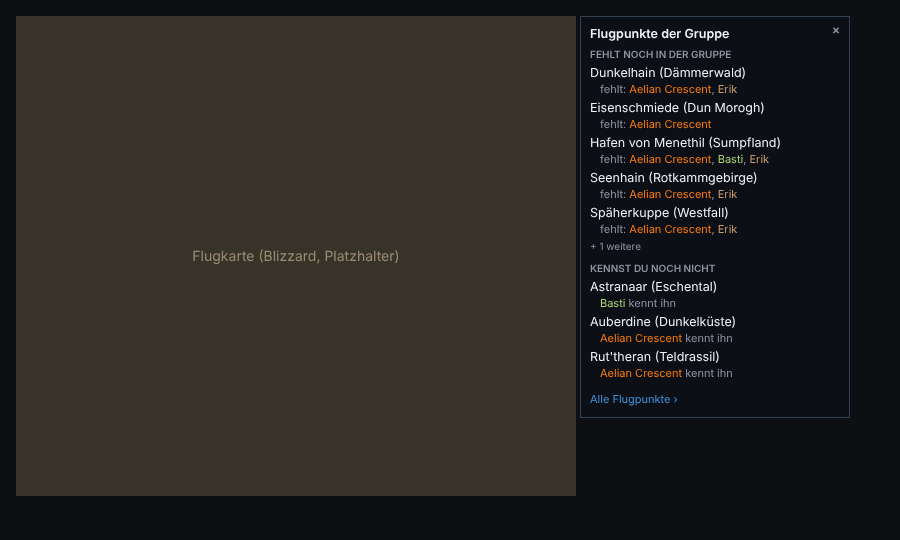
Until now loose text sat above the flight map, and you couldn't tell whether someone has the point or lacks it. Now a small card hangs to the right of the map with two parts: "Still missing in the group" (your flight points that others lack) and "You don't know yet" (flight points others have and you lack). "All flight points ›" opens the Travel tab, the × closes the card until the next flight master.
What's next?
Starting today the website and the addon get a full check: usability, data and security. Whatever still has to go in before the launch on November 4 goes in. In the launch night we pull the item data from the live client and check that the addon loads cleanly.
Important for everyone: keep the addon up to date (at least v1.20261024.1). With older versions, syncing with the group no longer works completely, because the journal was added as a new data collection.