A lot has been added since v1.20261017.1. Anything marked experimental is switched on under Settings › Experimental. Some of it only arrives with the next addon update.
AH watchlist (experimental)
Items you want to keep an eye on: just drag them from your bags into the new tab Crafting › Watchlist (or shift-click, or right-click › "Watch" in the Atlas, Upgrades and Recipes). After every scan the list shows signals: good time to buy, good time to sell, crafting pays off (with materials, AH cut and profit) or mats expensive. The (i) at the top explains exactly how it is calculated.
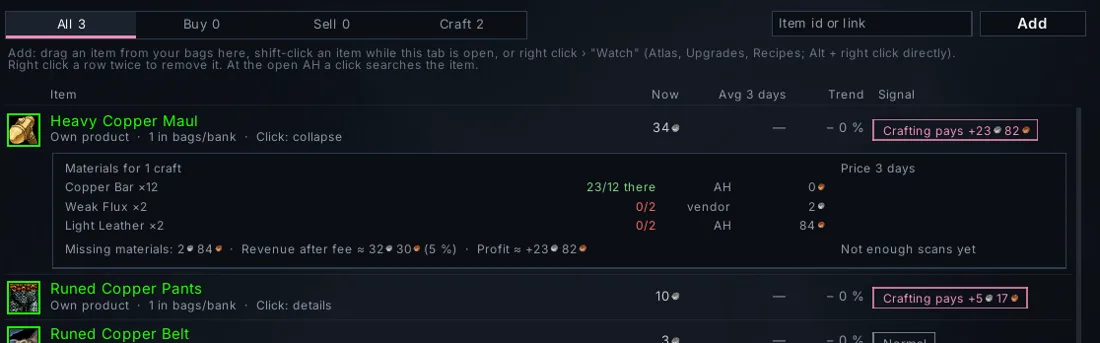
To go with it: the auto-scan (experimental) scans the AH when you open it if the last scan is older than 30 or 60 minutes, and the shopping list now shows the price age in green/yellow/red.
Inspect panel (experimental)
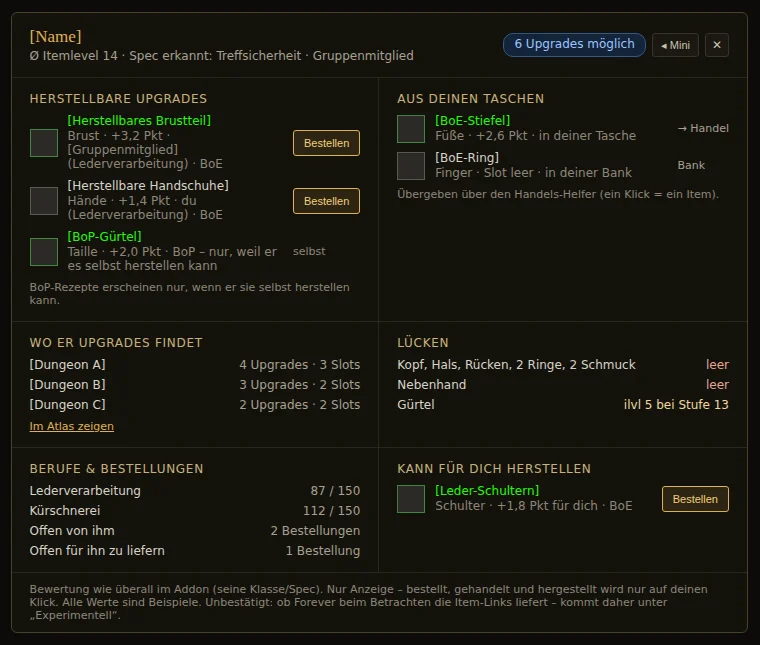
When you inspect a player, a small panel shows how you can help them: what the group can craft for them, BoE upgrades from your bags, gaps in their gear and which dungeon is worth it for them. "More ▸" expands everything, ✕ closes it just this once.
Professions: shopping list and merchant
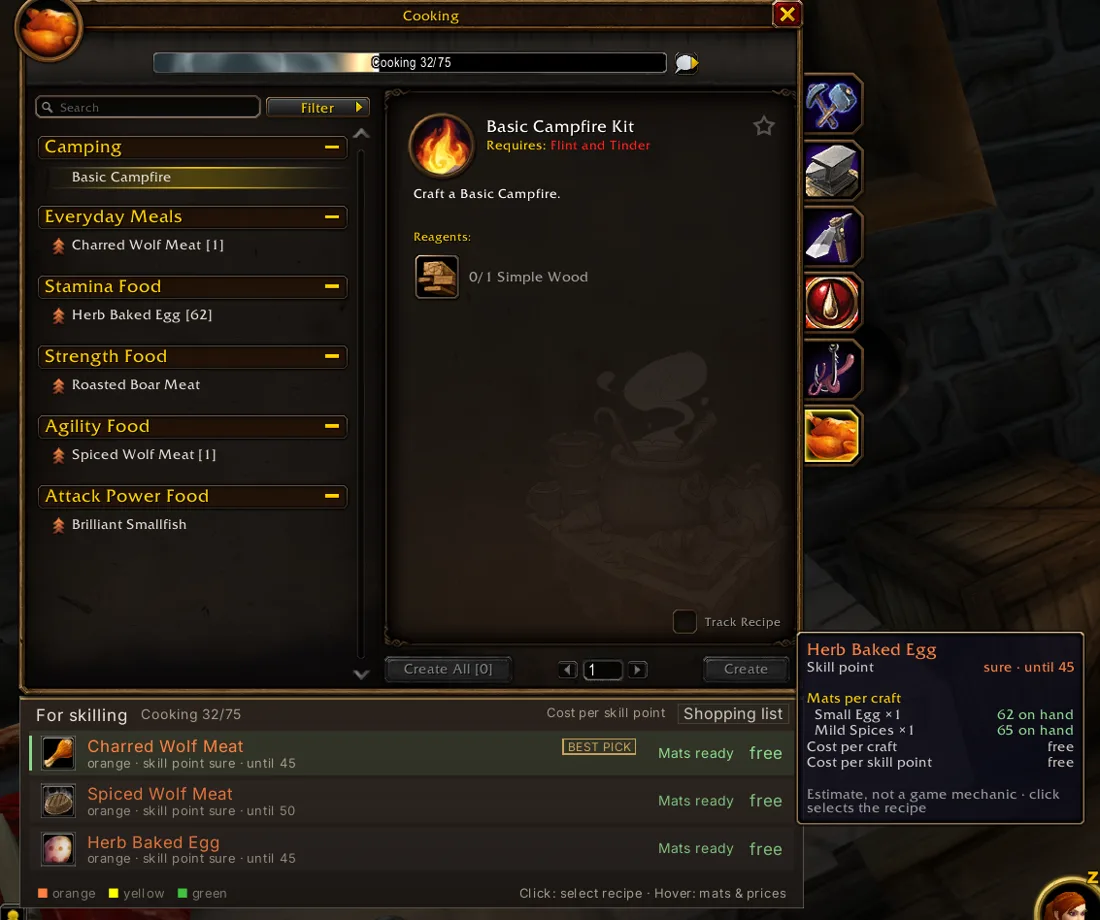
The skill recommendation in the profession window now has a shopping list: pick a target, and the materials up to it land in the AH shopping list, the farm tracker and the merchant window (with a buy button). A click in "For skilling" now selects the recipe right away – before it sometimes took minutes.
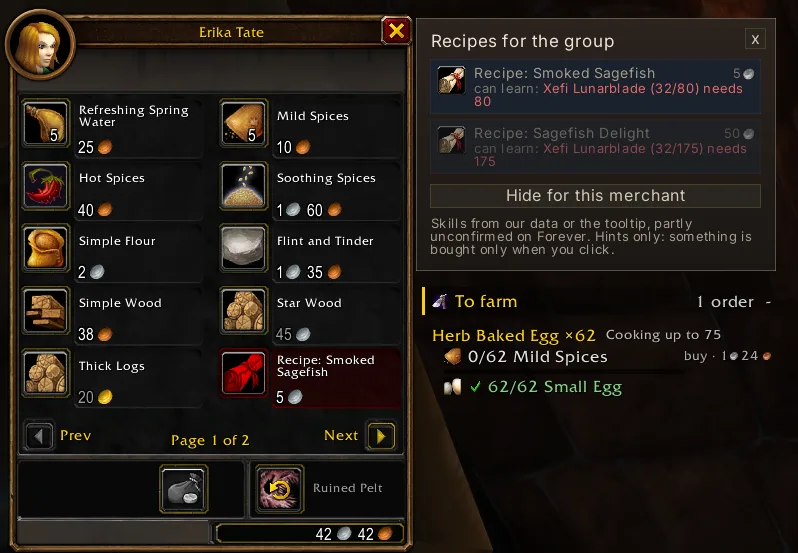
At the merchant, recipes for the group, missing materials and – experimental – "Sell grey items" with repair costs sit in one window, without Blizzard's confirmation popup.
Upgrades: the same answer everywhere
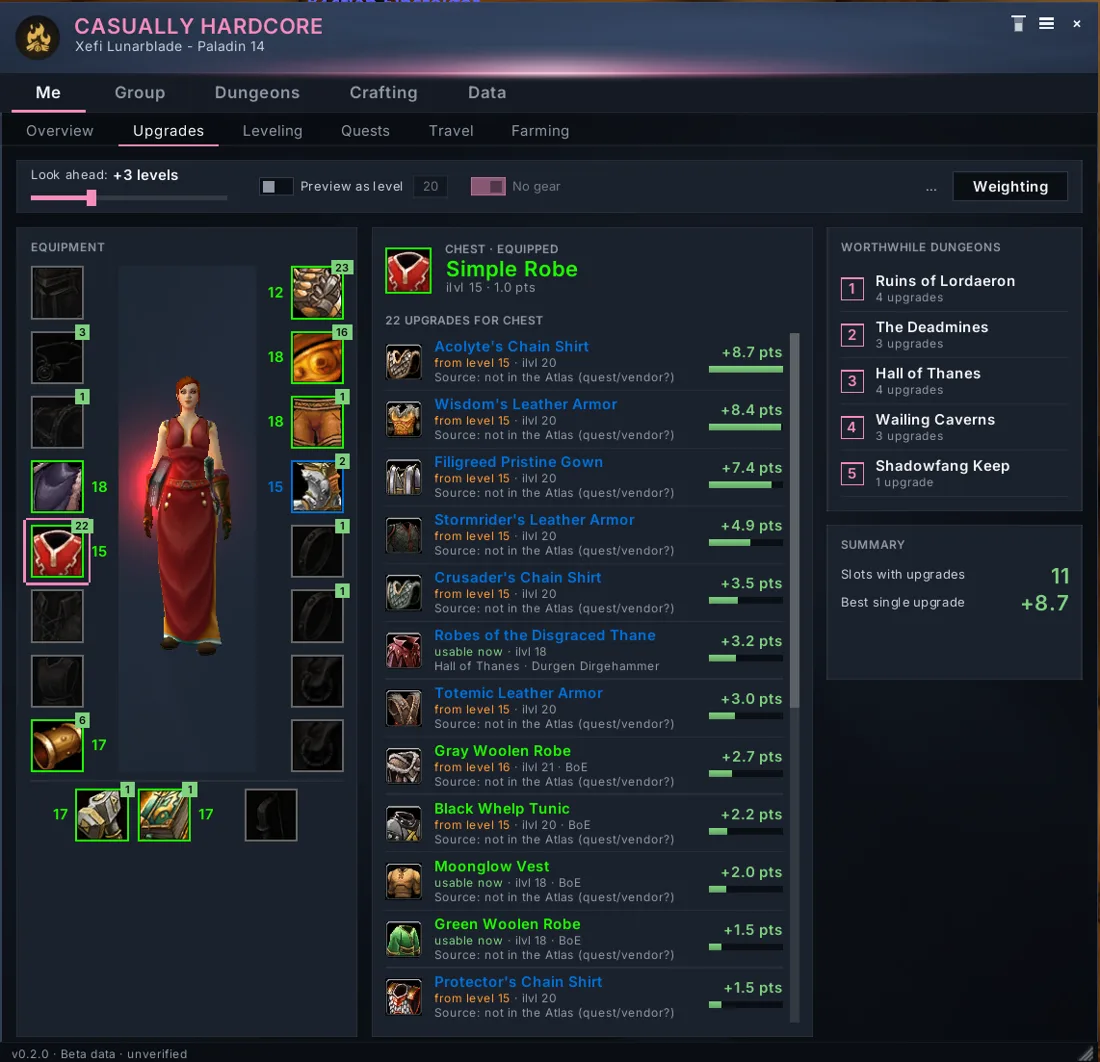
Tooltip, roll window, Upgrades tab, Atlas, overview and dungeon suggestion now use one rating. Items with a suffix ("of the Bear") count with their real stats, and the dungeon suggestion has a new "Upcoming" section. Right-clicking an item in the Atlas or Upgrades opens the order form directly.
Hidden settings (experimental)
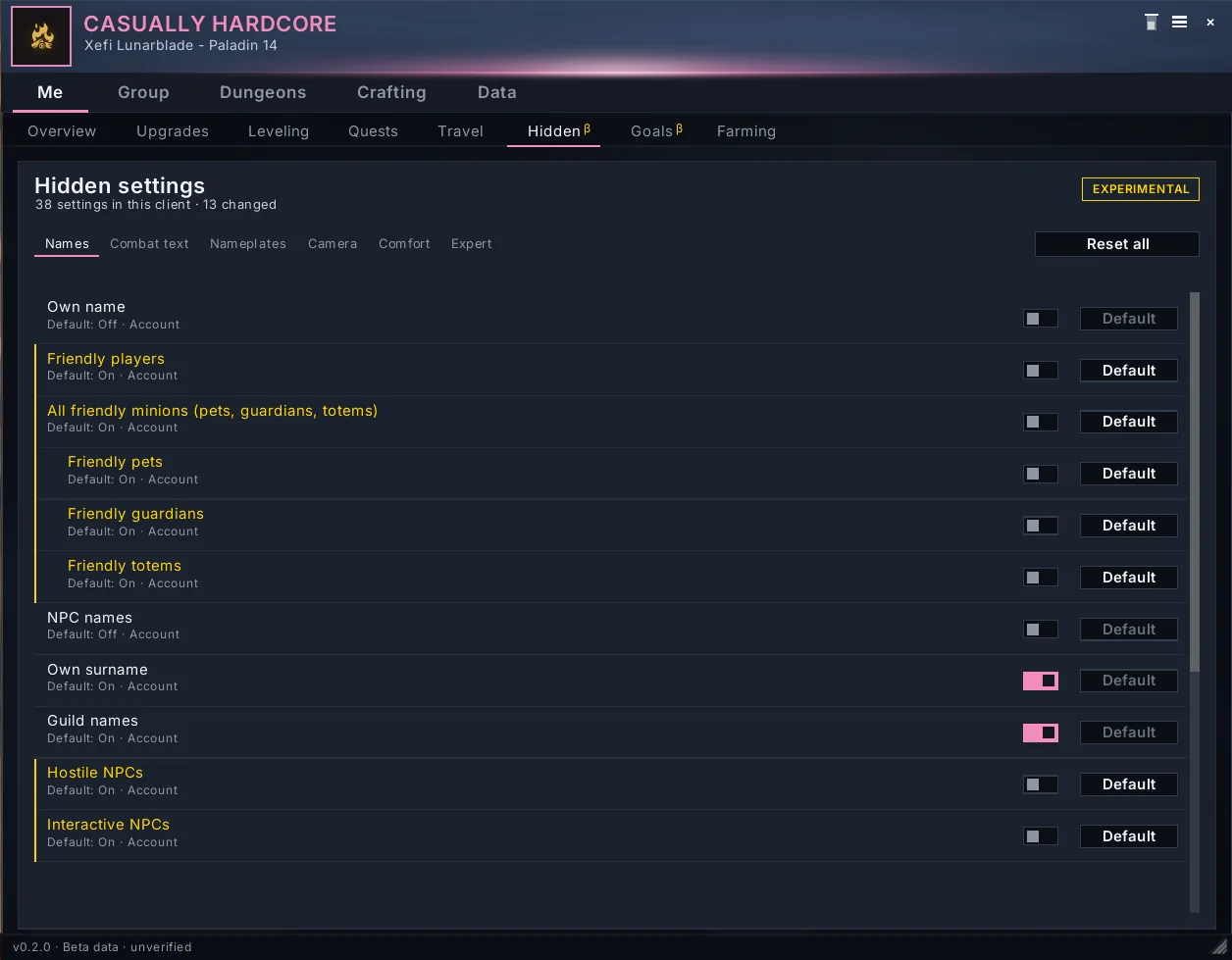
New tab Me › Hidden: game settings the Blizzard menu no longer shows, as switches – names above characters (own, players, pets, NPCs …), damage and healing numbers, nameplate range, maximum camera zoom and more, each with "Default". In combat a change waits and applies afterwards. For experts there is a tab with all game settings.
Settings and setup tidied up
The first-time setup now asks for the character's role first and then walks through at most 10 pages with a progress bar – nothing is saved before a summary. The settings have a new Tooltip page for all extra lines, a page of their own for Gathering, a Meeting point card and a "Default" button on every card. Size, opacity and display time use the same steps everywhere, new is "Until mouseover".
Group hints (experimental)
The minimap tooltip shows open orders, the next event and who is online. A popup tells you when the group's lowest main reaches a new dungeon, and another when a group member levels in the same zone.
Also new
- Profiles: copy your settings to twinks with one click.
- Share quests: a popup when a group member joins and doesn't have one of your quests yet.
- Key bindings for the main window, meeting point, readiness check, farm tracker and leveling bar.
- Loot: test mode, counters on the roll buttons, roll symbol in the group monitor, "Loot everything automatically".
- One price, one money format, one "… ago" rule everywhere; costs use the merchant buy price for vendor goods, recipe profit is after the AH cut.
- Almost all modules have left "Experimental" and are on by default; the settings have a search and work the same in both designs.
- About 5 MB less memory.
Fixed (selection)
- The bank (with tabs) and all professions incl. First Aid are read on Forever.
- No more Lua errors in dungeons and in combat ("secret values").
- The reload button works on Forever.
- Roll window: all buttons fit, also with Transmog and Disenchant.